Andrew Hamada
|
Top 5 Free Amazon Seller Analytics Tools
General
Being an Amazon seller means constantly crunching numbers. But dealing with data can be expensive, so you’re always looking for some free Amazon sales analytics tools that can make your life a little easier.
Fortunately, there are plenty of surprisingly powerful Amazon sales analytics tools you can use to examine keywords, compile sales estimates, or just identify a new product niche.
Here are five of the top free Amazon sales analytics tools that Sellers should explore using on a regular basis.
1. SmartScout
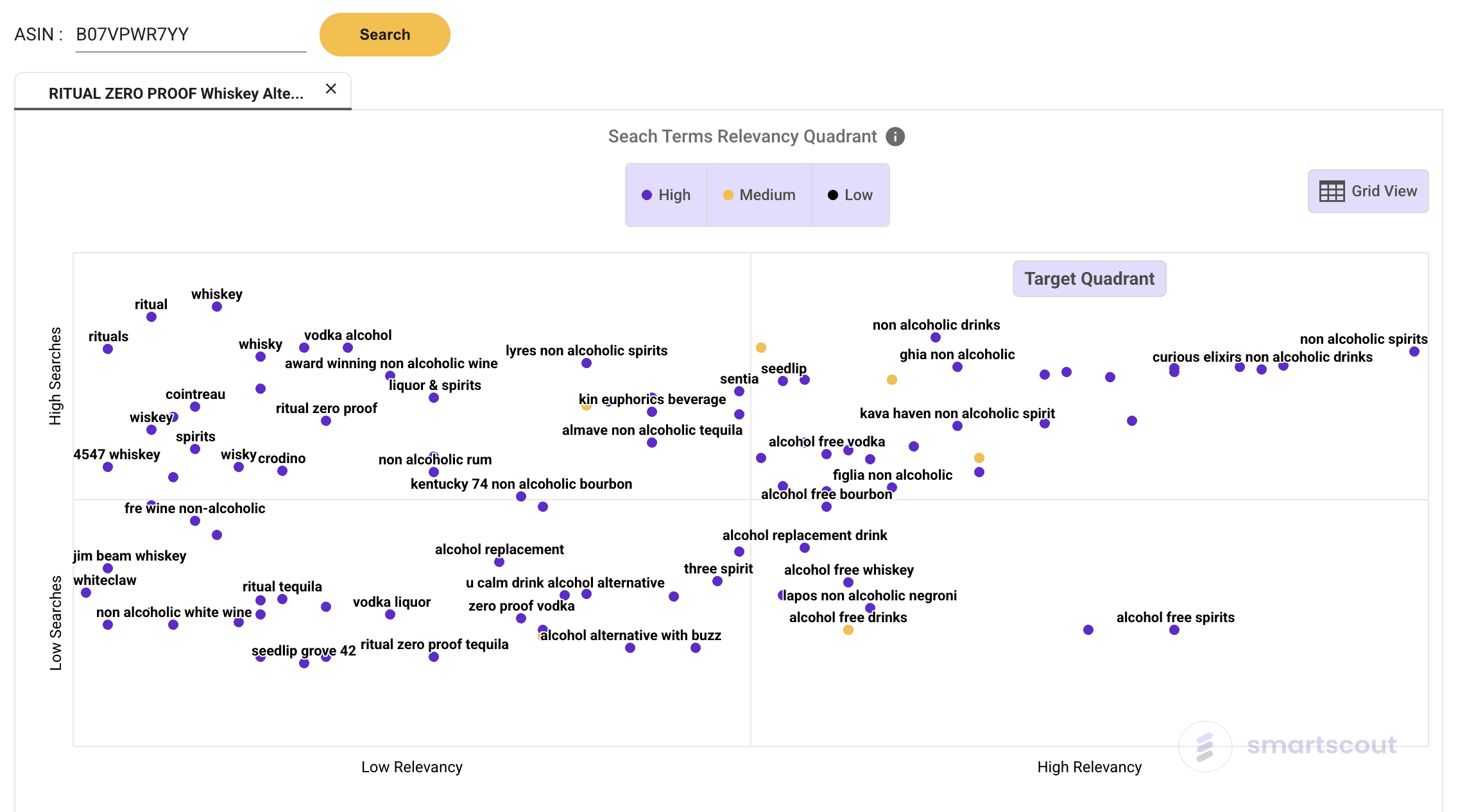
SmartScout offers a suite of free tools designed to give Amazon sellers instant insights into market trends and competitive landscapes—no subscription required. Amazon Search Trends, one of SmartScout’s most popular free tools, provides live access to keyword trends across the Amazon marketplace. Sellers can see which search terms are surging or fading in popularity, understand seasonal demand shifts, and uncover new product opportunities before competitors do. This tool makes it easy to spot breakout keywords or declining categories, helping sellers make data-driven product and advertising decisions.
The SmartScout Chrome Extension is another free resource that turns any Amazon product or search page into a data-rich dashboard. With a single click, users can view estimated brand revenue, seller count, category context, and keyword ranking insights—right inside Amazon. It’s built for quick competitive analysis and sourcing decisions, empowering sellers to evaluate products and brands on the fly. Together, these free tools offer a powerful on-ramp into SmartScout’s broader analytics ecosystem, giving users immediate value and a taste of the platform’s deeper research capabilities.
2. Google Trends
Google offers a range of free tools, and Trends is one that is particularly well-suited for Amazon sellers. Google Trends is a free online search tool that shows you the popularity of keywords over time. You can track a keyword's performance from all the way back in 2004 right up to the present day.
Using this tool, you'll be able to spot niche markets and identify keywords that perform differently depending on the region. You can also spot seasonal search terms -- an obvious example is "snow boots," which you would expect to be most popular in the winter. By examining trends, you can spot patterns that can inform your product strategy.
Example: ACME T-Shirts spends their ad money equally on all shirts throughout the year, but they wonder if they should be focusing on advertising certain shirts on the West Coast during the summer, so they examine Google Trends to spot patterns and adjust their ad spend accordingly.
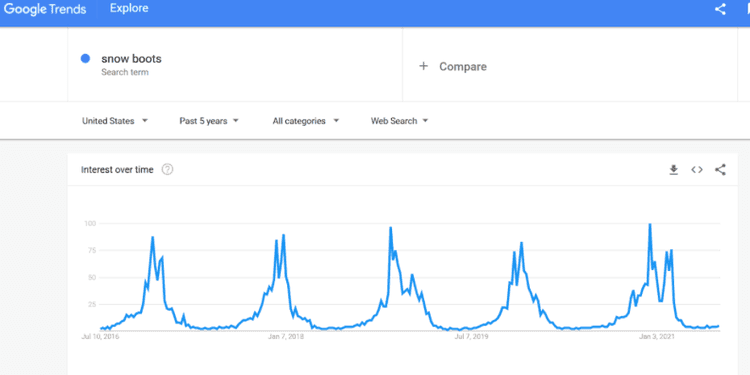
Google Trends shows how popularity of a product-related keyword changes based on time of year or geographical location, among other factors. (Image source: Google Trends screenshot)
3. camelcamelcamel
camelcamelcamel is a free Amazon price tracker that lets you monitor products and sends you alerts when the prices take a dip. This makes it a great FBA tool that keeps you updated on the performance of products you care most about.
Additionally, camelcamelcamel has Amazon price history charts so you can examine how the price has changed for just about any product listed on Amazon.
Example: ACME T-Shirts is looking to sell a new line of vintage t-shirts at a competitive price, but since this is a new market the company is not sure of the correct price to sell them at in order to maximize profit. They use camelcamelcamel to explore price history for competitor products and create a pricing strategy based on this information.
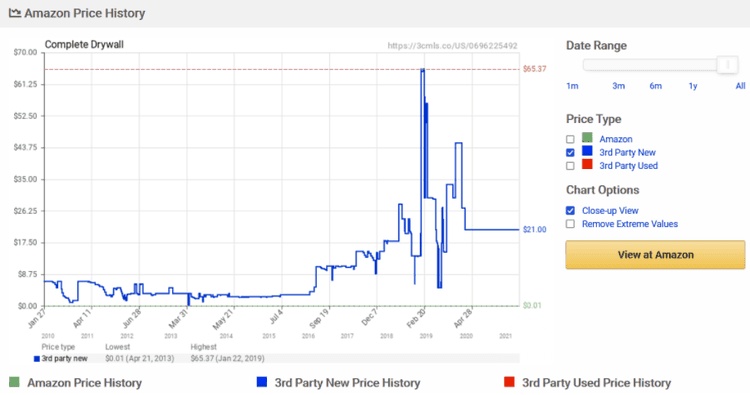
camelcamelcamel’s price history charts allows you to track price changes of a product over time. (Source: Screenshot from camelcamelcamel’s website)
4. FBA Revenue Calculator
One excellent free product sellers should use is located within Amazon Seller Central itself. It's the Fulfillment by Amazon (FBA) Revenue Calculator, and it allows you to "see real-time cost comparisons between your fulfillment and our offering for customer orders fulfilled on Amazon.com," according to the website.
It's vital for a seller to know how to use the FBA calculator in order to properly estimate Amazon fees. It will show you what the costs are to sell your products so you can decide which products to prioritize. This tool is a core component of Amazon analytics for sellers.
Example: ACME T-Shirts wants to know how much they're going to pay overall to sell their new line of vintage t-shirts on Amazon. Using the FBA calculator, they estimate referral fees, variable closing fees, fulfillment fees, and monthly storage fees to determine what their profit margins would be. They determine that they will still make a healthy profit margin even after fees are taken into account and move ahead with the product line.
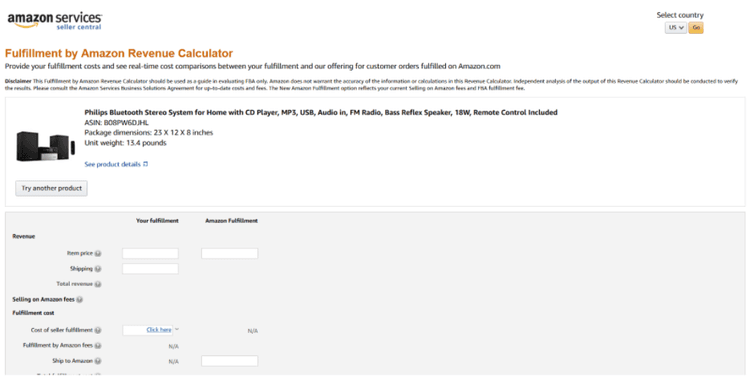
The FBA Revenue Calculator lets you choose a product listed on Amazon and see real-time cost comparisons. (Source: Screenshot of FBA Revenue Calculator)
5. AMZBase
AMZBase is a free tool that scours ASINs and descriptions for products you can sell on Amazon so you don't have to do it manually. It also calculates FBA fees to estimate potential profits, integrating seamlessly with Amazon analytics.
AMZBase, which is a Google Chrome plug-in, connects to the aforementioned camelcamelcamel to show historical prices of a product with one click. You'll also be able to roll your cursor over a product image to get the ASIN and description information.
Example: ACME T-shirts is thinking about selling a new product line but wants to compare it to similar products currently offered on Amazon. After installing the AMZBase plug-in, they examine similar offerings on Amazon by hovering over them, look at price history, do a quick calculation of fees, and make a determination of how to price their product accordingly.
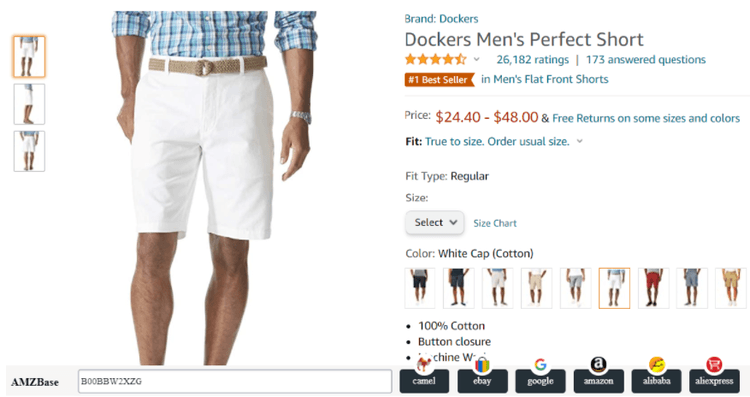
The AMZBase Chrome extension allows you to easily compare products in various tools. (Source: Screenshot of Amazon.com with AMZBase extension installed)